April 13, 2026
7 min read
By Kokil Thapa | Last reviewed: April 2026
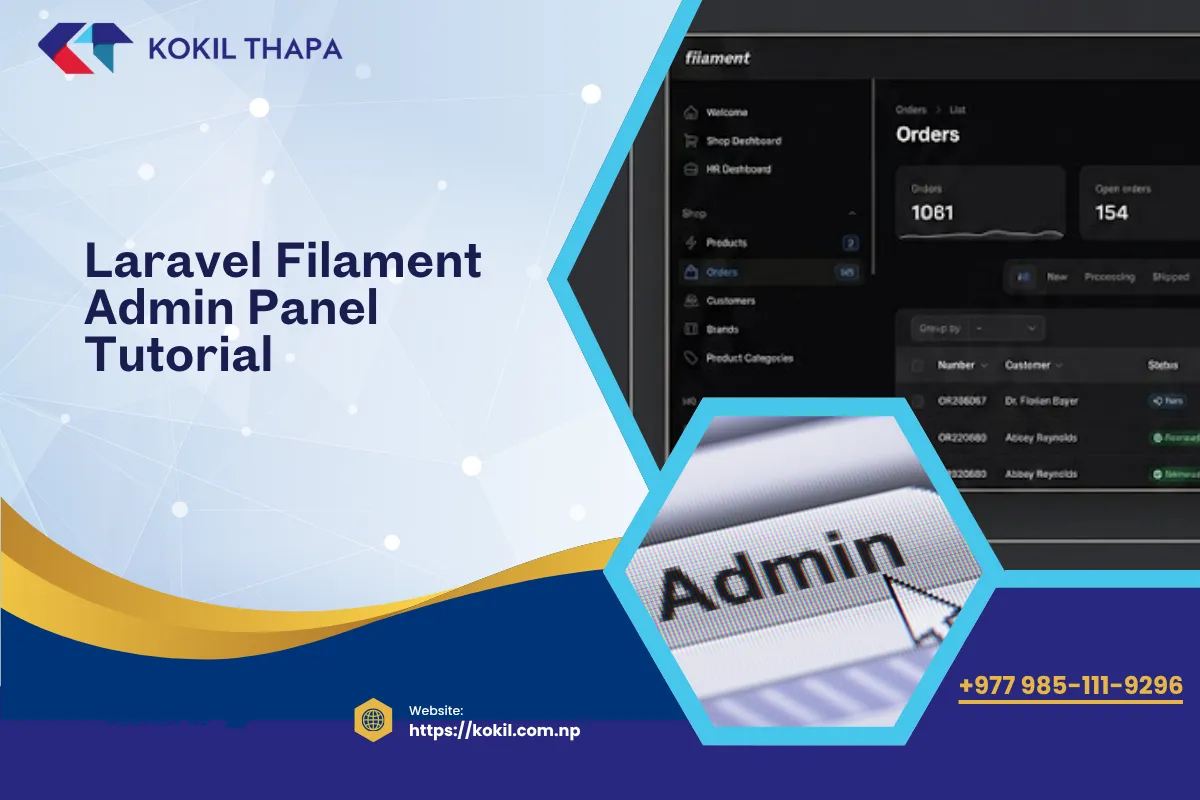
Building admin panels from scratch is one of the most time-consuming parts of Laravel development — creating CRUD interfaces, data tables, form validation, file uploads, and role-based access takes days or weeks of repetitive work. Laravel Filament eliminates that problem entirely. It generates production-ready admin panels from your Eloquent models with minimal code. As a web developer in Nepal who has built admin panels for dozens of client projects, I consider Filament the single biggest productivity multiplier in the Laravel ecosystem today. This tutorial walks you through everything from installation to building a complete admin panel in 2026 AD (2083 BS).
Quick answer: Laravel Filament is a free, open-source admin panel framework for Laravel that lets you build full CRUD admin interfaces using PHP classes — no JavaScript, no Blade templates to write manually. Define your form fields and table columns in PHP, and Filament generates a polished, responsive admin panel.
Why Choose Filament Over Other Admin Panels?
| Feature | Filament 3 | Nova | Backpack | Custom Built |
|---|---|---|---|---|
| Price | Free (open source) | $199/site | Free core, paid add-ons | Development time |
| Stack | Livewire + Alpine.js | Vue.js + Inertia | jQuery + Bootstrap | Any |
| Learning curve | Low | Medium | Medium | High |
| Customizability | Excellent | Good | Good | Unlimited |
| CRUD generation | Artisan commands | CLI commands | CLI commands | Manual |
| Real-time features | Built-in (Livewire) | Limited | Limited | Manual |
| Community | Very active, growing fast | Established | Established | N/A |
Filament's key advantage: it is completely free, built on Livewire (so everything is PHP — no JavaScript build step), and generates beautiful, functional admin interfaces faster than any alternative.
How to Install Filament 3 in Laravel
Prerequisites
- Laravel 10, 11, or 12
- PHP 8.1+
- A database with at least a users table (standard Laravel migration)
Installation Steps
# Install Filament via Composer
composer require filament/filament:"^3.0"

# Install the admin panel plugin
php artisan filament:install --panels

# Create an admin user
php artisan make:filament-user
The install command creates a AdminPanelProvider at app/Providers/Filament/AdminPanelProvider.php and sets up the admin panel at /admin. Visit yoursite.test/admin and log in with the user you just created.
That is it — you have a working admin panel with login, dashboard, and user management ready. Now let us add resources for your models.
How to Create CRUD Resources
Resources are the core of Filament — each resource represents a model and generates list, create, edit, and view pages automatically.
Step 1: Generate a Resource
# Generate a resource for the Blog model
php artisan make:filament-resource Blog

# Generate with all form fields auto-detected from the database
php artisan make:filament-resource Blog --generate
This creates files in app/Filament/Resources/BlogResource/:
BlogResource.php— defines the form and tablePages/ListBlogs.php— list pagePages/CreateBlog.php— create pagePages/EditBlog.php— edit page
Step 2: Define Form Fields
use Filament\Forms;
use Filament\Forms\Form;

public static function form(Form $form): Form
{
    return $form->schema([
        Forms\Components\TextInput::make('name')
            ->required()
            ->maxLength(255),

        Forms\Components\TextInput::make('slug')
            ->required()
            ->unique(ignoreRecord: true),

        Forms\Components\Select::make('category_id')
            ->relationship('category', 'name')
            ->searchable()
            ->preload(),

        Forms\Components\RichEditor::make('description')
            ->required()
            ->columnSpanFull(),

        Forms\Components\FileUpload::make('image')
            ->image()
            ->directory('blogs')
            ->maxSize(2048),

        Forms\Components\Toggle::make('is_published')
            ->default(true),

        Forms\Components\DateTimePicker::make('published_at')
            ->default(now()),
    ]);
}
Step 3: Define Table Columns
use Filament\Tables;
use Filament\Tables\Table;

public static function table(Table $table): Table
{
    return $table
        ->columns([
            Tables\Columns\TextColumn::make('name')
                ->searchable()
                ->sortable(),

            Tables\Columns\TextColumn::make('category.name')
                ->sortable(),

            Tables\Columns\IconColumn::make('is_published')
                ->boolean(),

            Tables\Columns\TextColumn::make('published_at')
                ->dateTime()
                ->sortable(),

            Tables\Columns\TextColumn::make('created_at')
                ->dateTime()
                ->toggleable(isToggledHiddenByDefault: true),
        ])
        ->filters([
            Tables\Filters\SelectFilter::make('category')
                ->relationship('category', 'name'),

            Tables\Filters\TernaryFilter::make('is_published'),
        ])
        ->actions([
            Tables\Actions\EditAction::make(),
            Tables\Actions\DeleteAction::make(),
        ])
        ->bulkActions([
            Tables\Actions\BulkActionGroup::make([
                Tables\Actions\DeleteBulkAction::make(),
            ]),
        ]);
}
With just these two methods, you get a fully functional CRUD interface — searchable, sortable, filterable data table with create, edit, and delete functionality. No Blade templates, no JavaScript, no HTML to write.
Essential Filament Features
Relation Managers
Handle related models (HasMany, BelongsToMany) directly within a resource page:
# Generate a relation manager
php artisan make:filament-relation-manager BlogResource comments content

# This creates a panel within the Blog edit page
# where you can manage all comments for that blog
Relation managers embed a full CRUD table for the related model inside the parent resource's edit page — no navigating to separate pages.
Dashboard Widgets
Build custom dashboard widgets showing key metrics:
use Filament\Widgets\StatsOverviewWidget;
use Filament\Widgets\StatsOverviewWidget\Stat;

class BlogStatsWidget extends StatsOverviewWidget
{
    protected function getStats(): array
    {
        return [
            Stat::make('Total Blogs', Blog::count())
                ->description('All published articles')
                ->color('success'),

            Stat::make('This Month', Blog::whereMonth('created_at', now()->month)->count())
                ->description('Published this month'),

            Stat::make('Views Today', BlogView::whereDate('created_at', today())->sum('views'))
                ->description('Total page views'),
        ];
    }
}
Global Search
Filament includes a powerful global search that searches across all resources. Enable it by adding $recordTitleAttribute to your resource:
protected static ?string $recordTitleAttribute = 'name';

// Users can press Ctrl+K to search across all resources
Notifications
Built-in notification system for user feedback:
use Filament\Notifications\Notification;

Notification::make()
    ->title('Article published successfully')
    ->success()
    ->send();
Advanced Filament Patterns
Custom Pages
Add custom pages beyond standard CRUD:
php artisan make:filament-page Settings

// Use this for settings pages, analytics dashboards,
// import/export tools, or any custom functionality
Authorization and Policies
Filament integrates with Laravel's authorization policies automatically:
// app/Policies/BlogPolicy.php
public function viewAny(User $user): bool
{
    return $user->hasRole('admin') || $user->hasRole('editor');
}

public function delete(User $user, Blog $blog): bool
{
    return $user->hasRole('admin');
}

// Filament automatically hides buttons and restricts access
// based on your policy methods
This works seamlessly with packages like Spatie Permission for multi-tenant SaaS applications.
Soft Deletes Support
// In your table method, add soft delete actions:
->actions([
    Tables\Actions\EditAction::make(),
    Tables\Actions\DeleteAction::make(),
    Tables\Actions\ForceDeleteAction::make(),
    Tables\Actions\RestoreAction::make(),
])
->filters([
    Tables\Filters\TrashedFilter::make(),
])
Real-World Use Cases for Filament in Nepal Projects
Based on projects I have built and maintained, here are common Filament applications:
- CMS admin panels — manage blogs, pages, services, portfolios with media uploads and SEO fields
- Ecommerce backends — product management, order processing, inventory tracking, coupon management
- School management systems — student records, attendance, fee management, grade reporting
- HR and payroll — employee records, leave management, salary processing with the Nepal salary calculator logic built in
- Booking systems — appointment scheduling, hotel reservations, event ticketing
- Client portals — project tracking, invoice management, document sharing
For any Laravel project that needs an admin interface, Filament saves 40–60% of development time compared to building from scratch.
Filament vs Building Custom Admin Panels
| Scenario | Use Filament | Build Custom |
|---|---|---|
| Standard CRUD operations | Always | Never |
| Data tables with search/filter/sort | Always | Rarely |
| File and image management | Always | Only for unique requirements |
| Highly custom UI requirements | Possible with customization | When Filament's design does not fit |
| Complex multi-step workflows | Possible with custom pages | When workflow is very unique |
| Public-facing interfaces | Not recommended | Yes — Filament is for admin use |
Getting Started — Your Action Plan
- Install Filament on a fresh or existing Laravel project
- Generate a resource for your most-used model using
--generate - Customize the form and table — add fields, filters, and actions specific to your needs
- Add relation managers for related models (comments, tags, categories)
- Build dashboard widgets showing key business metrics
- Read the official docs at filamentphp.com — they are comprehensive and example-rich
- Follow Laravel best practices — clean models, proper relationships, and service patterns make Filament resources cleaner
Filament has become the default admin panel choice in the Laravel community. Its Livewire foundation means everything stays in PHP — perfect for Laravel developers who want powerful admin interfaces without switching to JavaScript. Whether you are building a simple blog CMS or a complex enterprise application, Filament accelerates development significantly.
Frequently Asked Questions
Filament is a free open-source admin panel framework for Laravel built on Livewire and Alpine.js.
Yes, Filament is completely free and open source under the MIT license.
Filament 3 supports Laravel 10, 11, and 12 with PHP 8.1 or higher.
Filament is free while Nova costs 199 USD per site. Filament uses Livewire while Nova uses Vue.js with Inertia. Both generate admin panels from Eloquent models. Filament has a lower learning curve for PHP developers since everything is written in PHP. Nova has a longer track record but Filament's community is growing faster.
Run the artisan command make filament-resource followed by your model name. Add the generate flag to auto-detect database columns. This creates a resource class with form and table definitions plus list, create, and edit pages. Customize the form fields and table columns in the generated PHP class.
Yes, Filament includes a FileUpload form component that handles single and multiple file uploads, image cropping and resizing, drag-and-drop upload, file validation by type and size, and storage to any Laravel filesystem disk. Configure it with method chaining in your resource form definition.
Yes, Filament integrates with Laravel's authorization policies automatically. Define standard Laravel policy methods like viewAny, create, update, and delete. Filament reads these policies and automatically hides buttons, restricts pages, and enforces permissions. It works seamlessly with Spatie Permission package.
Relation managers let you manage related models directly within a parent resource's edit page. For example, managing blog comments inside the blog edit page without navigating to a separate comments section. Generate them with the artisan command and they create embedded CRUD tables for HasMany or BelongsToMany relationships.
Yes, Filament supports extensive customization including custom color themes, logo replacement, custom CSS, custom navigation menus, and custom page layouts. You can override any Blade view, create custom form components and table columns, and build entirely custom pages within the Filament panel framework.
Yes, Filament includes global search accessible via keyboard shortcut Ctrl plus K that searches across all resources. Individual table columns can be marked as searchable for per-resource search. Both features require no JavaScript configuration and work through Livewire server-side search queries.
Yes, Filament 3 has built-in multi-tenancy support. You can configure a tenant model and Filament automatically scopes all resources to the current tenant. Users can switch between tenants through a built-in tenant switcher. This works for SaaS applications where each client has isolated data.
Create widget classes using the artisan make filament-widget command. Filament supports stats overview widgets showing key numbers, chart widgets for visual data representation, and custom widgets with any Livewire component. Register widgets in your panel provider to display them on the dashboard.
Yes, Filament is production-ready and used by thousands of Laravel applications worldwide. It follows Laravel conventions, has comprehensive test coverage, regular security updates, and an active maintainer team. Many Nepal agencies and developers use Filament for client projects in production environments.
Yes, Filament can coexist with any existing admin setup. Install it on a separate URL path like /filament-admin while keeping your existing panel at /admin. You can gradually migrate features to Filament without disrupting your current admin functionality or requiring a complete rewrite.
Filament typically saves 40 to 60 percent of admin panel development time compared to building from scratch. A standard CRUD interface that takes 2 to 3 days manually can be built in 1 to 2 hours with Filament. The time savings compound with more models since each resource follows the same pattern.
0 Comments
Leave a comment
Your email is not published. Comments appear once they have been read. Sign in to have your details filled in.